

SalesWings Salesforce Toolbox
Installation Package
Latest Version 7.31 Cheetah 🐆 / May 2026
IMPORTANT:
1) A Salesforce Admin must first turn off and on the engine after upgrading, in order to restart all the rules. After the installation, you can turn the rule processing on again
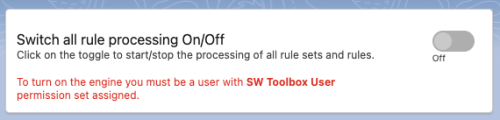
2) It is recommended to install the package by selecting Install for Admins Only. After the installation assign the permission set SW Toolbox User to the user that will be used to turn on the engine and run it. If the permission set is not assigned it won’t be possible to turn the engine on.
Install Toolbox in Production:
https://login.salesforce.com/packaging/installPackage.apexp?p0=04tQH00000J25Wv
Install Toolbox in Sandbox:
https://test.salesforce.com/packaging/installPackage.apexp?p0=04tQH00000J25Wv
Need more help? Message us on the website chat a the bottom right of your screen.
