

5 Best Chrome Extensions for Gmail Productivity for Marketing Directors (2026)
Marketing directors spend much of their working day managing communication. Agency approvals, campaign updates, partnership requests, vendor pitches, team questions, and executive feedback all compete for attention in Gmail.
The challenge isn’t simply managing more emails. It’s ensuring that important conversations get the attention they deserve without spending hours on repetitive tasks, irrelevant messages, and unnecessary coordination.
Fortunately, the right Chrome extensions for Gmail productivity can make a meaningful difference.
Some eliminate inbox distractions. Others speed up repetitive replies, improve writing, organize shared conversations, or turn emails into actionable tasks.
We’ve selected five Gmail productivity extensions that address distinct challenges facing marketing directors and their teams in 2026.
Index
The 5 best Chrome extensions for Gmail productivity at a glance
| Chrome extension | Best for | Main benefit |
|---|---|---|
| SalesWings (AI) SDR Killer | Eliminating unwanted sales outreach | Report spam directly from Gmail with one click |
| Briskine | Repetitive emails and templates | Insert personalized email templates instantly |
| Gmelius | Team inbox collaboration | Coordinate conversations, assignments, and workflows |
| Todoist | Task and follow-up management | Turn emails into actionable tasks |
| Grammarly | Clear and professional writing | Improve grammar, tone, and email clarity |
Each extension serves a different purpose. Depending on your workflow, combining two or three may deliver more value than installing an all-in-one email management platform.
Why and when are Chrome extensions helpful for Gmail productivity?
Gmail already provides useful productivity functionality, including filters, labels, templates, keyboard shortcuts, scheduled sending, and email snoozing.
However, marketing directors frequently need workflows that go beyond standard inbox management.
Chrome extensions can add specialized functionality directly to Gmail, reducing the need to switch between applications or perform repetitive actions manually.
1. When your inbox is overwhelmed by low-value emails
Marketing directors are frequently targeted by unsolicited sales emails, automated outreach sequences, and irrelevant partnership proposals.
These messages compete with genuine business opportunities and internal communications.
Extensions that simplify spam reporting or inbox organization help keep attention on conversations that actually matter.
2. When you repeatedly write similar emails
Consider how often marketing directors send similar messages:
Email templates and text-expansion extensions can significantly reduce repetitive writing while maintaining consistency.
3. When multiple team members collaborate through Gmail
Marketing teams regularly work across departments and external agencies.
Without a structured workflow, emails get forwarded unnecessarily, responsibilities become unclear, and important conversations remain trapped in individual inboxes.
Collaboration extensions can introduce shared inboxes, conversation assignments, and automated routing.
4. When important action items disappear inside email threads
A campaign approval, contract review, or website launch request may arrive by email but require follow-up several days later.
Turning those messages into tasks makes it easier to prioritize responsibilities without relying on an overloaded inbox as a to-do list.
5. When communication quality matters
Marketing directors often communicate with customers, executives, agencies, and strategic partners.
An email that is ambiguous, unnecessarily long, or poorly phrased can create avoidable confusion.
Writing assistants help polish communication without requiring a separate editing workflow.
When should you avoid adding another extension? If Gmail’s built-in functionality already solves the problem, an additional extension may create unnecessary cost, security exposure, or interface clutter. Start by identifying one recurring bottleneck.
1. SalesWings (AI) SDR Killer — Best for eliminating unwanted sales outreach (Free)
Best for: Marketing directors frustrated by unsolicited sales emails and repetitive AI-generated outreach.
Marketing directors understand the value of sales and marketing outreach. Unfortunately, they also experience its less appealing side: endless automated prospecting emails that fail to address any relevant business need.
How many times have you received a message beginning with “Just circling back” from someone you never intended to speak with?
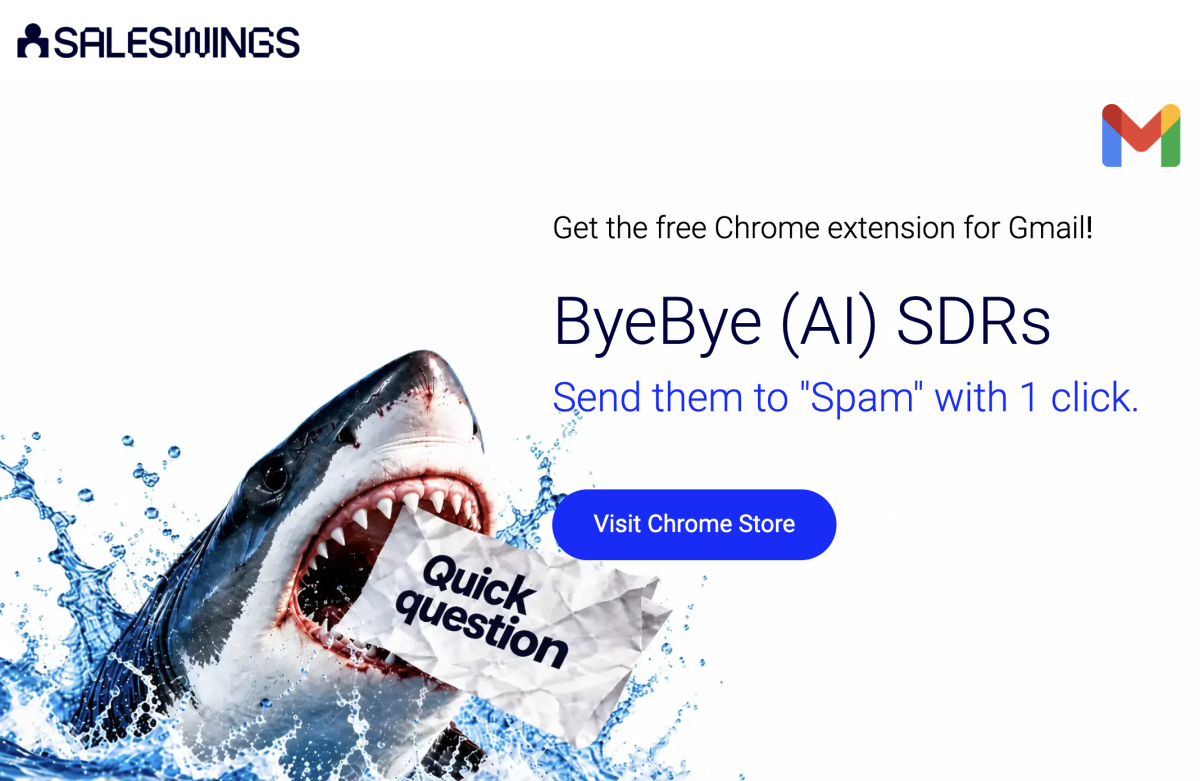
SalesWings (AI) SDR Killer is a free Chrome extension designed to make dealing with these messages easier.
How does it work?
Once installed, the extension adds a spam-reporting button next to the sender’s name in Gmail.
When you receive unwanted outreach, clicking the button reports the conversation as spam and moves it into Gmail’s Spam folder.
Rather than navigating through multiple menus, you can take action directly from the conversation.
The extension also introduces a playful productivity element: it tracks the number of emails you’ve reported, lets you progress through achievement levels, and allows you to share your score on LinkedIn.
Key features
Why marketing directors will appreciate it
The extension addresses a common distraction faced by senior marketing professionals: automated outreach that consumes attention without offering meaningful business value.
Its appeal is simplicity. There is no complicated setup, scoring model, or workflow configuration.
You decide which conversations are irrelevant and report them immediately.
There is also an important lesson for marketing teams themselves: the relevance of outreach matters more than the volume of messages sent.
Automating irrelevant outreach doesn’t make it useful.
What to consider
(AI) SDR Killer is intentionally a narrow-purpose tool. It does not automatically identify every unwanted sender, guarantee that future emails will be blocked, or replace a comprehensive inbox management platform.
It is particularly useful for quick, manual spam triage.
Verdict: An entertaining and practical free extension for marketing directors who want a faster way to deal with unwanted prospecting emails.
Explore SalesWings (AI) SDR Killer
2. Briskine — Best for Gmail email templates and repetitive replies
Best for: Marketing directors who frequently send similar emails and want to maintain consistent communication.
Not every email needs to be written from scratch.
Marketing directors frequently repeat similar responses when communicating with vendors, agencies, event organizers, and internal stakeholders.
Briskine is a Chrome extension that lets users create reusable email templates and insert them quickly using keyboard shortcuts.
Unlike manually copying text from previous emails, Briskine integrates directly into Gmail’s compose and reply windows.
How does it work?
Users create templates containing frequently used text.
Each template can be assigned a shortcut. When composing an email, typing that shortcut followed by the Tab key inserts the corresponding content.
Templates can contain personalized variables, formatted text, images, and links.
Briskine also supports sharing templates across teams, helping standardize communication.
Key features
Practical marketing use cases
A marketing director could create templates for:
For instance, rather than repeatedly drafting a request for updated campaign performance metrics, the director could insert a predefined email and customize only the campaign name and reporting deadline.
Pricing and limitations
Briskine offers a free plan with up to 30 templates for one user. Paid plans provide unlimited templates and team collaboration features.
Briskine is particularly effective for predictable communications. Complex strategic discussions or sensitive conversations still deserve individually written responses.
Verdict: A straightforward productivity improvement for anyone who regularly writes similar emails. Particularly useful for teams seeking faster, more consistent communication.
3. Gmelius — Best for marketing team collaboration inside Gmail
Best for: Marketing directors managing shared email workflows, agencies, and cross-functional communication.
Marketing directors rarely work in isolation.
Campaign delivery often requires collaboration between internal specialists, external agencies, executives, freelancers, and commercial teams.
While Gmail is excellent for individual communication, managing complex shared workflows can become challenging.
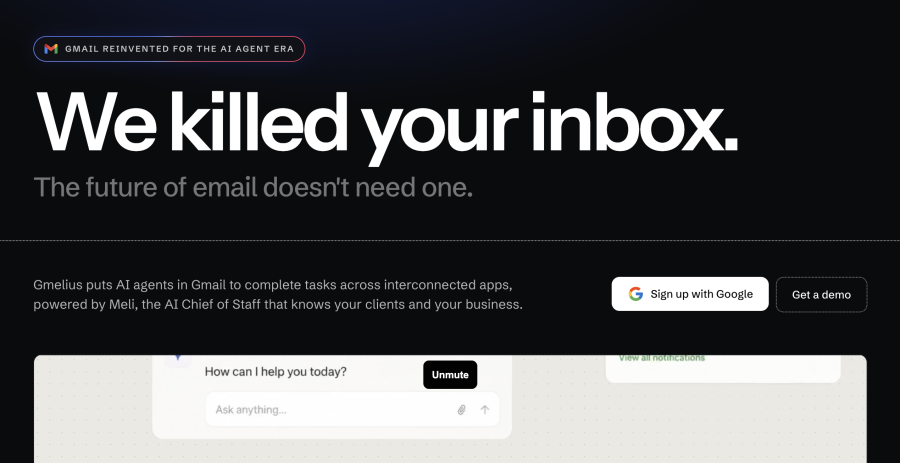
Gmelius extends Gmail with collaboration and workflow-management functionality.
How does it work?
Gmelius brings shared inboxes, conversation assignments, shared labels, and workflow automation into Gmail.
Rather than repeatedly forwarding emails to colleagues, teams can coordinate responsibilities around shared conversations.
The platform also offers AI-powered capabilities for drafting responses, sorting messages, managing follow-ups, and supporting other email workflows.
Feature availability depends on the subscription plan.
Key features
Practical marketing use cases
Imagine a marketing team managing a shared marketing@company.com inbox.
Incoming messages include media opportunities, partnership proposals, sponsorship requests, and campaign questions.
Without a collaborative workflow, messages might be forwarded several times before reaching the correct person.
With Gmelius, the team can organize incoming conversations and establish clearer ownership.
This can be particularly helpful for marketing directors overseeing several functions or external partners.
Pricing and limitations
Gmelius offers paid subscription plans and a free trial. Its shared-inbox and collaboration functionality is available in team-oriented plans.
The main consideration is complexity. Gmelius offers substantially more functionality than a lightweight productivity extension, so implementation and team adoption require additional attention.
For an individual marketing director who only wants faster replies, a simpler tool may be sufficient.
Verdict: A strong choice for marketing leaders who want to transform Gmail into a more collaborative workspace rather than simply improve personal inbox efficiency.
Explore Gmelius for Marketing Teams
4. Todoist — Best for turning Gmail messages into actionable tasks
Best for: Marketing directors who manage many projects and need a reliable way to follow up on important emails.
For many marketing directors, an email inbox gradually becomes an unofficial task-management system.
A message is marked unread because something needs to be done. Another receives a star because it requires approval. A third is left open as a reminder to follow up.
Eventually, the distinction between communication and actual work becomes difficult to maintain.
Todoist provides a structured alternative.
Its Chrome extension integrates with Gmail, allowing users to convert emails into tasks that can be managed alongside their other responsibilities.
How does it work?
After installing the Todoist Chrome extension, users can create tasks directly from Gmail.
A task can include the email’s subject and a link back to the original message.
This makes it possible to plan follow-ups without keeping the corresponding conversation permanently visible in the inbox.
Key features
Practical marketing use cases
Examples include:
Rather than relying on stars and unread messages, these actions can be placed into a defined task list.
Pricing and limitations
Todoist provides a free plan alongside paid individual and team subscriptions.
An important distinction for 2026: Todoist retired its standalone Todoist for Gmail Chrome extension on June 30, 2026. Gmail functionality is now supported through the general Todoist Chrome extension and a separate Google Workspace add-on.
Also, an email link added to a task does not automatically grant teammates access to the original email.
Verdict: Particularly valuable for marketing directors who struggle to distinguish between messages requiring a response and messages requiring actual project work.
Explore Todoist’s Gmail Integration
5. Grammarly — Best for writing clearer, more professional Gmail messages
Best for: Marketing directors who want to improve the clarity, tone, and consistency of their everyday communication.
Marketing professionals are expected to communicate well.
Yet even experienced marketers can struggle to formulate concise responses when working under pressure, especially when managing difficult stakeholders, complicated approvals, or sensitive commercial discussions.
Grammarly’s Chrome extension provides writing assistance directly within Gmail.
Rather than copying text into a separate application, users can receive suggestions while drafting emails.
How does it work?
Once installed, Grammarly works within supported browser-based text fields, including Gmail.
It reviews writing and provides recommendations to improve grammar, clarity, and tone.
Its AI writing capabilities can also help users draft, rewrite, and refine communications.
Key features
Practical marketing use cases
Marketing directors can use Grammarly when preparing:
For example, a director may need to tell an agency that a campaign has failed to meet expectations.
Grammarly can help refine the message so that it remains professional and constructive without losing clarity.
Pricing and limitations
Grammarly offers free writing assistance, with additional capabilities available through paid plans.
However, writing assistance shouldn’t replace professional judgment.
An AI-generated rewrite may be grammatically correct but overly generic or inconsistent with a company’s communication style.
Marketing directors should review suggestions rather than accepting every proposed change automatically.
Verdict: A useful everyday writing companion, particularly for marketing leaders who communicate frequently with executives, customers, and external partners.
Which Gmail productivity extensions should marketing directors choose?
The best solution depends on the problems you’re trying to solve.
If your biggest challenge is unwanted prospecting emails, start with SalesWings (AI) SDR Killer.
If you repeatedly write similar emails, Briskine offers an efficient way to standardize responses.
If you’re coordinating a team through shared inboxes, Gmelius offers more comprehensive collaboration functionality.
If important follow-ups are getting lost, Todoist can help turn email conversations into structured tasks.
And if communication quality is your primary concern, Grammarly provides useful writing assistance.
These tools aren’t mutually exclusive, but adding all five isn’t necessarily productive.
A sensible starting point is to identify your two biggest email-related bottlenecks and install the extensions that address them.
Best practices for using Chrome extensions with Gmail
Before adopting additional Gmail extensions, consider these practical recommendations.
Start with Gmail’s native capabilities. Filters, labels, templates, keyboard shortcuts, scheduled sending, and snoozing already address many common productivity problems.
Review browser permissions. Some extensions require access to email content or browser activity. Marketing teams frequently handle confidential campaign plans, customer information, and commercial agreements, so permissions and data-processing practices deserve attention.
Avoid overlapping functionality. Multiple extensions that provide similar writing, automation, or inbox-management capabilities can create unnecessary complexity.
Evaluate team adoption. A shared inbox platform delivers value only if people consistently use its assignments and workflows.
Measure meaningful outcomes. Instead of tracking how many extensions you’ve installed, evaluate whether you’re spending less time on low-value communication, responding faster to important requests, and missing fewer follow-ups.
The objective isn’t to make Gmail more complicated. It’s to make the work happening inside Gmail easier.
Frequently asked questions about Chrome extensions for Gmail productivity
What are the best Chrome extensions for Gmail productivity?
Five useful choices for marketing directors are SalesWings (AI) SDR Killer for Gmail spam reporting, Briskine for reusable email templates, Gmelius for team collaboration, Todoist for task management, and Grammarly for writing assistance.
The best choice depends on your specific workflow.
Are Gmail Chrome extensions free?
Many Gmail productivity extensions offer free functionality, but their business models vary.
SalesWings (AI) SDR Killer is free to use. Briskine, Todoist, and Grammarly offer free plans, while Gmelius provides a free trial with paid subscriptions.
Always review current pricing before adopting a tool across your team.
What is the difference between a Gmail Chrome extension and a Gmail add-on?
A Chrome extension is installed in your browser and can modify or enhance how Gmail works when accessed through Chrome.
A Google Workspace add-on is installed through Google’s Workspace ecosystem and operates within supported Google applications.
Browser extensions generally focus on desktop browser workflows, while some Workspace add-ons also support mobile Gmail applications.
Can Chrome extensions automatically organize Gmail emails?
Yes, some extensions can categorize, route, or assign emails according to configured rules or AI-powered workflows.
However, not every extension provides automation.
For example, SalesWings (AI) SDR Killer relies on a deliberate user click to report an unwanted message, while Gmelius provides more extensive workflow automation capabilities.
Are Chrome extensions safe for business Gmail accounts?
Safety depends on the extension, its permissions, its data-processing practices, and the vendor.
Before installation, review the Chrome Web Store listing, requested permissions, privacy policy, and your organization’s security requirements.
For business accounts, involve your Google Workspace administrator when appropriate.
How many Gmail productivity extensions should I install?
There is no ideal number.
For most marketing directors, starting with two or three complementary extensions is more practical than installing many tools with overlapping functionality.
Choose extensions that remove recurring friction from your daily workflow and discontinue those that don’t provide measurable value.
Final thoughts: Gmail productivity starts with better prioritization
The most productive marketing directors aren’t necessarily the ones who respond to the most emails.
They’re the ones who recognize which messages deserve attention, communicate efficiently, and ensure important work gets done.
Chrome extensions can support that discipline by reducing low-value distractions, accelerating routine communication, improving collaboration, and turning messages into actionable work.
And there is a broader lesson worth remembering: better productivity isn’t always about doing more. Sometimes it’s about eliminating work that should never have reached your inbox in the first place.
If irrelevant automated sales emails are part of that problem, try SalesWings (AI) SDR Killer and give your Gmail inbox a little less noise.
