

Introduction
Online forms are still one of the highest leverage ways to capture demand, yet conversion rates often disappoint. For example, typical landing page conversion rates commonly sit in the low single digits, with a frequently cited benchmark range of roughly 2% to 6%.
At SalesWings, we see the same pattern in Salesforce orgs again and again: admins build solid lead capture flows, but form fills drop because the experience is slow, generic, or disconnected from CRM workflows. This article solves that by giving you a practical shortlist of no code form builders that are easy to deploy, integrate cleanly with Salesforce, and improve form fills without creating technical debt.
This list is for Salesforce administrators who need dependable routing, field validation, compliance controls, and clean data mapping to Leads, Contacts, and custom objects, all without relying on developers for every change.
Let’s get you to more form fills, cleaner Salesforce data, and fewer “why is this lead missing fields?” fire drills.
TL;DR
If your priority is higher form fills plus Salesforce friendly workflows, focus on tools that combine conversion focused UX, strong conditional logic, and reliable Salesforce connectors. For Salesforce Admins, the sweet spot is usually: fast no code building, secure data handling, and predictable automation into Leads, Contacts, and custom objects.
Our top 3 picks are:
Selection criteria and methodology
We selected tools based on what Salesforce Administrators typically care about: no code speed, conditional logic, embeddable experiences, integration options (native, Zapier style, API), data quality controls, and enterprise readiness. We also weighed real user sentiment using G2 ratings where available.
We bring hands on experience from revenue teams that rely on Salesforce data to trigger automations, routing, scoring, and reporting. In other words: we care about form fills, but we also care about what happens after the submit button, inside Salesforce.
Categories to help you scan faster
Salesforce first and compliance ready
Forms Made Easy, FormAssembly, Formstack Forms
Conversion focused experiences to increase form fills
Reliable general purpose form builders with strong logic
Jotform, Cognito Forms, Gravity Forms, Wufoo
What are form builders
Form builders are no code tools that let you create digital forms for lead capture, requests, registrations, surveys, and internal workflows, usually through a drag and drop editor. Instead of hard coding HTML forms, you configure fields, rules, and actions, then embed the form on a site or share it via a link.
Modern form builders go beyond “name and email.” They support conditional logic, multi step flows, file uploads, payments, and workflow routing. For Salesforce Administrators, the most valuable form builders also map cleanly into Leads, Contacts, and custom objects, so form fills become usable Salesforce data rather than messy inbox notifications.
The best tools also reduce friction that kills completion rates: slow load times, confusing layouts, too many required fields, or mobile unfriendly experiences. That is why form builders sit right at the center of improving form fills and downstream pipeline quality.
The best no code form builders for Salesforce driven form fills
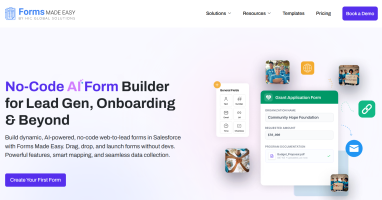
1) Forms Made Easy: no code forms inside Salesforce
Forms Made Easy is positioned as a no code form builder built for Salesforce, aiming to create forms, surveys, and feedback inside Salesforce.

Deep Dive: Forms Made Easy is on this list because it speaks directly to the Salesforce Admin use case: build forms without code, keep data in Salesforce, and reduce integration complexity. If your priority is to minimize external systems, a Salesforce oriented tool can simplify governance and access controls.
It’s also useful when you want admins to build and iterate quickly without front end development. Instead of pushing form logic into your website codebase, you keep configuration closer to Salesforce processes and objects.
Forms Made Easy is available on Salesforce AppExchange with 15 reviews and a 5-star rating, making it a trusted and reliable solution for users.
Key Features:
Best For: Forms Made Easy is best for Salesforce Admins who want a Salesforce first approach and prefer to avoid stitching together multiple external tools. It fits intake processes where data needs to land in Salesforce objects quickly and consistently. It can be useful for internal teams who need forms for requests, onboarding, or surveys and want to keep permissions aligned with Salesforce roles. It also helps when IT requires governance over where customer data is stored. If you support many internal stakeholders, it can shorten turnaround time because you can configure forms without web development. It’s also a fit when you need forms embedded in Salesforce experiences rather than separate landing pages. Because public review volume is limited on G2, it’s smartest for teams willing to pilot and validate performance.
G2Crowd Rating: Not enough reviews for a star rating signal.
Pros and Cons:
Pros:
Cons:
Why we picked Forms Made Easy: Salesforce Admins often prefer Salesforce native style governance. When your priority is reducing tools and keeping data centralized, a Salesforce oriented form builder deserves consideration.
The most responsible way to evaluate it is to run a short pilot focused on your real submission patterns: validation rules, routing, and reporting. If it meets your needs, it can become a straightforward path to more reliable form fills that are immediately usable in Salesforce.
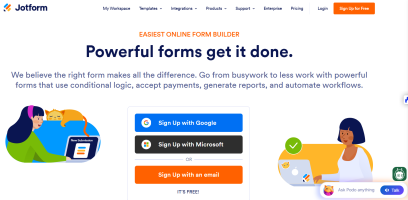
2) Jotform: flexible form operations at scale
Jotform is a powerful all around form builder with templates, automations, and broad integrations.

Deep Dive: Jotform is a strong pick when your org needs lots of forms across teams: marketing, events, HR, customer success, and partner programs. The builder is fast, the template library is huge, and you can standardize brand and governance while still enabling self service creation.
For Salesforce Admins, the key is control. Jotform’s feature set supports conditional logic, approvals, and data handling patterns that can reduce bad submissions. That directly impacts Salesforce cleanliness because fewer form fills require manual cleanup.
Jotform’s overall seller rating on G2 is 4.6, and the product listing commonly shows a 4.7 rating, reflecting broad satisfaction.
Key Features:
Best For: Jotform is best for Salesforce organizations that need a standardized way to create many forms quickly and keep them consistent. It fits well when multiple departments generate form fills that still need to land in Salesforce with predictable rules. It’s also strong for event registration, internal requests, and customer facing workflows that include uploads and signatures. If your admins support a large community of internal “form creators,” Jotform can reduce queue time by enabling safe self service. It’s useful for teams that want to operationalize forms, not just run occasional campaigns. It can also be a good fit when you need payments or e-sign flows as part of intake. For extremely complex Salesforce data writes, you may still prefer a Salesforce specialized tool.
G2Crowd Rating: 4.6 out of 5.
Pros and Cons (from G2 user themes):
Pros:
Cons:
Why we picked Jotform: Jotform makes sense when “we need more forms” turns into “we need a form program.” It’s one of the easiest ways to support many business teams without creating a custom development backlog. For Salesforce Admins, that translates into more predictable intake and fewer one off exceptions.
It also supports a wide set of submission types, from basic lead capture to documents and payments. If your organization wants to operationalize form fills across the funnel, Jotform is a strong platform style choice.
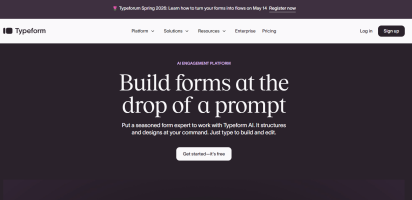
3) Typeform: conversational forms that increase form fills
Typeform is known for one question at a time experiences that feel more like a chat than a form.

Deep Dive: Typeform’s core strength is reducing perceived effort. Instead of presenting a wall of fields, it guides people step by step, which can improve completion when you’re asking more than the basics. Salesforce Admins often use it for lead capture, event registration, and qualification flows where answers determine routing.
Typeform also performs well when you want to personalize follow ups. Hidden fields, logic jumps, and outcome screens make it easier to pass campaign context into Salesforce and keep attribution intact. That matters when you’re trying to connect form fills to pipeline and ROI reporting.
In the market, Typeform is positioned as premium UX. That makes it a strong option for high value inbound where each additional completed form is worth real money. On G2 it has a 4.5 rating, reflecting broad satisfaction with usability and design.
Key Features:
Best For: Typeform is best for Salesforce teams who care about completion rate and brand experience as much as the data itself. It works well for high intent demo requests, partner applications, event signups, and any flow where you need to ask multiple questions without tanking form fills. It’s also useful when Marketing wants flexibility to iterate weekly without submitting admin tickets. For admins, it can be a practical “front end” that feeds Salesforce through a connector or middleware. It’s especially strong for mobile traffic, where long forms often underperform. If your org is running many campaigns and needs consistent attribution, hidden fields help keep tracking intact. However it’s less ideal if you need deep Salesforce object writes without middleware.
G2Crowd Rating: 4.5 out of 5.
Pros and Cons (from G2 user themes):
Pros:
Cons:
Why we picked Typeform: For Salesforce Admins trying to increase form fills, Typeform is one of the most reliable “conversion levers” because it changes the experience, not just the field list. It’s particularly strong when you need to qualify leads before they ever reach Salesforce, which protects downstream routing and SDR time. The interface also makes it easy for marketing teams to iterate without breaking field mappings.
Typeform also pairs well with Salesforce processes because hidden fields and logic can preserve attribution and intent signals. That means your Salesforce reports become more trustworthy, which is critical when leadership questions pipeline sources. If your biggest pain is abandonment, Typeform is often the fastest win.
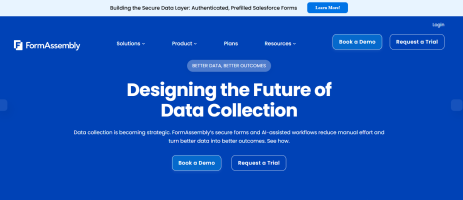
4) FormAssembly: enterprise Salesforce connected forms
FormAssembly focuses on secure data collection with deep Salesforce integration and workflow controls.

Deep Dive: FormAssembly is one of the most common choices when Salesforce is the system of record and your forms must write into Salesforce reliably. G2 review summaries highlight ease of use plus seamless Salesforce integration as a recurring theme.
It’s especially useful for higher education, nonprofits, and regulated industries where compliance, authentication, and structured workflows matter. For Salesforce Admins, that often translates into fewer workarounds and less fragile middleware.
FormAssembly’s G2 rating is 4.5, and it’s positioned as a serious data collection platform rather than a lightweight marketing widget. If your biggest pain is not just form fills but also governance and data correctness, this is a strong contender.
Key Features:
Best For: FormAssembly is best for Salesforce Admins who need form fills to land in Salesforce with strong guarantees, including complex object mapping and compliance controls. It’s a strong fit for orgs that collect sensitive information, handle identity checks, or require approvals before data becomes active. It also works well when multiple departments need forms but you must enforce governance and templates. If you support Experience Cloud portals or multi stakeholder intake, FormAssembly can reduce custom development work. It’s also a fit for teams that want to automate document based processes triggered by submissions. If your org struggles with bad field values and inconsistent mapping, this tool is designed to fix that. It may be more than you need for simple marketing lead capture, but it shines in enterprise workflows.
G2Crowd Rating: 4.5 out of 5.
Pros and Cons (from G2 user themes):
Pros:
Cons:
Why we picked FormAssembly: If your Salesforce org is serious about data integrity, FormAssembly is one of the most proven options for turning form fills into correctly structured Salesforce records. It reduces fragile integrations and supports governance that admins care about.
It also helps bridge the gap between marketing needs and compliance requirements. When you must do more than collect an email, such as authenticate, validate, approve, and write into multiple Salesforce objects, FormAssembly is built for that reality.
5) Formstack Forms: workflow friendly forms with broad integrations
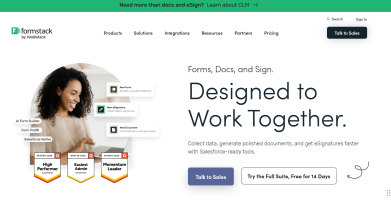
Formstack Forms helps teams build forms quickly with drag and drop, analytics, and integrations including Salesforce.

Deep Dive: Formstack Forms is built for operational form programs, where multiple teams need forms that route data, trigger steps, and support collaboration. G2 describes core capabilities including data routing, encryption, payments, and analytics.
For Salesforce Admins, the common use case is: build a form once, connect it to your workflow layer, and feed Salesforce cleanly. It’s particularly useful when you want approval workflows, teams commenting on submissions, or routing based on rules.
On G2, Formstack Forms shows a 4.3 rating with a large review base, which is helpful when you want a mature product with established patterns.
Key Features:
Best For: Formstack Forms is best for Salesforce orgs that want form fills to trigger real workflows, not just create a lead and stop. It’s useful when intake requires routing across teams, approvals, or collaboration on submissions. It fits well for healthcare, education, and nonprofits that need security features and consistent processes. It’s also a good option when you need integrations across a broad stack, not only Salesforce. For admins, it can reduce ad hoc requests because teams can build forms within guardrails. It’s especially useful when you need analytics to improve form fills and understand drop off points. If you want a mature, workflow oriented product, this is a strong choice.
G2Crowd Rating: 4.3 out of 5.
Pros and Cons:
Pros:
Cons:
Why we picked Formstack Forms: It balances no code speed with workflow depth. For Salesforce Admins who are judged on how smoothly requests flow through the org, this matters because form fills become process triggers, not manual tasks.
It’s also one of the more established products with a large review base, which helps when you need predictable support, documentation, and internal confidence.
6) Cognito Forms: powerful logic and workflows for advanced intake
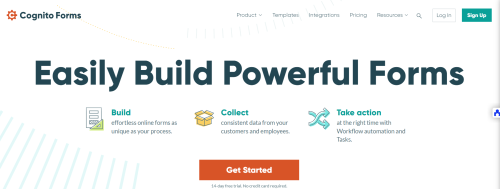
Cognito Forms focuses on advanced workflows, calculations, and automation while keeping the builder approachable.

Deep Dive: Cognito Forms stands out when your forms behave like mini applications. It supports workflows, statuses, roles, approvals, and complex logic, which is helpful when multiple people must act on a submission. G2 describes it as a no code builder that can power complex processes with workflow automation.
For Salesforce Admins, the value is often in the structure: fewer incomplete submissions, fewer wrong values, and better internal handoffs. That directly improves the quality of the data you push into Salesforce and can reduce cleanup work.
On G2, Cognito Forms shows a 4.6 rating, which is strong for a product that supports more advanced use cases.
Key Features:
Best For: Cognito Forms is best for Salesforce Admins supporting intake that requires logic, approvals, or multi step processing before data is final. It fits scenarios like partner onboarding, service requests, finance approvals, and operations workflows. It is also a strong pick when you need calculations, line items, or conditional branching that would be painful in simpler builders. If your org struggles with inconsistent submissions, Cognito’s structured approach can increase data quality and reduce Salesforce cleanup. It’s also useful when business teams want control over the form without relying on developers. If you want to improve form fills while also improving correctness, it’s a smart middle ground. For very marketing heavy landing page experiences, you might pair it with a conversion layer.
G2Crowd Rating: 4.6 out of 5.
Pros and Cons:
Pros:
Cons:
Why we picked Cognito Forms: It’s one of the best options when your “form” is really a workflow. That is common in Salesforce orgs where intake must be validated and approved before it becomes a Lead, Case, or custom object record.
It also balances power with usability. If your teams need advanced logic but you still want no code speed, Cognito Forms is a strong candidate for improving both form fills and data correctness.
7) Paperform: forms that double as landing pages
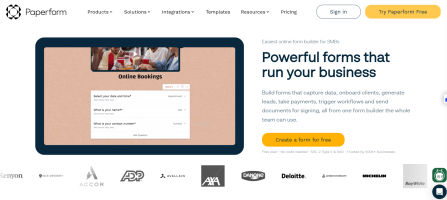
Paperform blends form building with page building, so you can create beautiful, flexible experiences that people actually want to complete.

Deep Dive: Paperform is a smart choice when the form itself is the page. You can mix content blocks, images, and structured fields, which often improves trust and clarity, two drivers of form fills. It’s also helpful when you want a single experience that feels like a mini landing page rather than a generic embed.
For Salesforce Admins, Paperform is commonly used as a high converting front end, then connected to Salesforce via integrations or automation platforms. That makes it useful when marketing wants speed and design control, while admins still need predictable data flow.
On G2, Paperform shows a 4.8 rating across its reviews, which is a strong signal for usability and support.
Key Features:
Best For: Paperform is best for Salesforce teams that want to increase form fills through better design and clearer context. It is a good fit for partner applications, event registration, service inquiries, and lead capture that benefits from storytelling. It works well when you want to embed a form into a content rich landing page without switching tools. For admins, it can reduce friction because marketing can build experiences without asking for web development. It’s also useful when you need payments or simple commerce flows connected to intake. If your org runs many campaigns and needs fast iteration, Paperform supports that pace. You will typically connect it to Salesforce via integration tools, so plan your field mapping and validation rules upfront.
G2Crowd Rating: 4.8 out of 5.
Pros and Cons:
Pros:
Cons:
Why we picked Paperform: Many Salesforce Admins are asked to increase form fills, but they have limited control over landing page design. Paperform gives marketing a stronger conversion canvas while still enabling structured submissions.
If your bottleneck is not logic but experience quality, Paperform can be a practical way to improve completion rates while keeping Salesforce downstream processes intact.
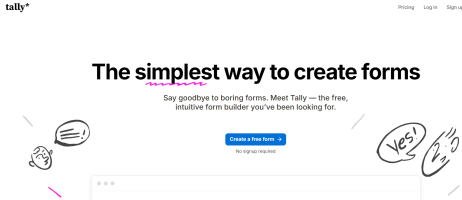
8) Tally: simple, fast, and surprisingly powerful
Tally is a lightweight, Notion like form builder with generous free usage that can scale with teams.

Deep Dive: Tally is built for speed. The editor is minimal, which makes it easy for teams to ship forms quickly without overthinking design. For Salesforce Admins supporting fast moving marketing and ops teams, that simplicity can reduce friction and increase adoption.
It also includes capabilities like conditional logic and integrations, which means you can still build forms that qualify leads and route submissions. That helps increase form fills because you can ask fewer questions upfront and only expand when needed.
On G2, Tally shows a 4.8 rating in its seller and product pages, signaling strong user satisfaction for a newer tool.
Key Features:
Best For: Tally is best for Salesforce Admins who need a simple tool that teams will actually use. It’s a strong fit for startups, internal request forms, quick campaign forms, and lightweight lead capture. It helps when the main blocker to form fills is speed and simplicity, not deep enterprise governance. It’s also useful when you want to test new form flows quickly and iterate based on results. For admins, it is easiest when paired with a clear integration pattern into Salesforce, such as a middleware or API connection. It can be a good “front door” for experiments before you scale to heavier tooling. If you want fast wins and broad adoption, Tally is worth testing.
G2Crowd Rating: 4.8 out of 5.
Pros and Cons:
Pros:
Cons:
Why we picked Tally: Many Salesforce orgs need a form tool that teams adopt immediately. Tally’s editor and generous approach make it easy to roll out quickly, which can increase the number of active campaigns and the volume of form fills.
It’s also a practical option for testing messaging and flow changes. If you’re optimizing form fills and want fast iteration loops, Tally can be a surprisingly effective tool.
9) Gravity Forms: WordPress native forms that still scale
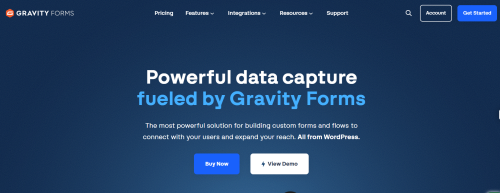
Gravity Forms is a popular WordPress form builder built for flexible forms, add ons, and integrations.

Deep Dive: Gravity Forms is a great option when your marketing site lives on WordPress and you want form creation to stay inside your CMS. That can reduce page performance issues and simplify embedding, which can help form fills by keeping the experience fast and consistent.
For Salesforce Admins, Gravity Forms becomes powerful when paired with a consistent integration approach into Salesforce, often via automation tools or connectors. It supports conditional logic and workflows, which helps you build qualification steps that reduce junk submissions.
On G2, Gravity Forms has a 4.7 rating, and user summaries emphasize flexibility and ease of use, with some caveats around needing add ons for advanced features.
Key Features:
Best For: Gravity Forms is best for Salesforce orgs with a WordPress website that want to keep form creation close to the site experience. It’s ideal for marketing teams who publish frequently and want forms embedded directly in pages with minimal friction. It also works well for content heavy lead capture where page speed and SEO matter. For Salesforce Admins, it is most effective when you standardize field naming, validation, and integration mapping across the site. It can support many different form types, from contact requests to more complex workflows, especially with add ons. It’s also a good option when budget is important and you prefer a license model. If your web team lives in WordPress, Gravity Forms is a practical, proven choice.
G2Crowd Rating: 4.7 out of 5.
Pros and Cons:
Pros:
Cons:
Why we picked Gravity Forms: Salesforce Admins often inherit a WordPress marketing site and are asked to improve form fills without rebuilding everything. Gravity Forms is a practical choice because it keeps forms inside WordPress, which can improve performance and deployment speed.
It also has a strong reputation and a high G2 rating. If your goal is consistent form fills on SEO pages and content, Gravity Forms is a dependable option.
Comparison table: quick view for Salesforce admins
| Tool | Main use case | Best for | Noteworthy |
|---|---|---|---|
| Typeform | Conversational lead capture | Higher completion rates and qualification | Strong UX, great for improving form fills |
| Jotform | High volume form operations | Teams needing many forms and templates | Broad feature set and integrations |
| Forms Made Easy | Salesforce oriented form creation | Salesforce first governance and data capture | G2 listing has limited review volume |
| FormAssembly | Secure Salesforce connected intake | Compliance heavy workflows and object mapping | Enterprise depth and structured validation |
| Formstack Forms | Workflow and routing forms | Operational processes with approvals | Large review base, strong integrations |
| Cognito Forms | Logic heavy, workflow forms | Approvals, roles, and structured intake | Strong workflow automation capabilities |
| Paperform | Form plus landing page builder | Design led experiences that lift form fills | Great for content rich lead capture |
| Tally | Simple, fast forms | Quick rollouts and experimentation | Generous free tier, strong satisfaction |
| Gravity Forms | WordPress native forms | SEO and content pages with embedded forms | Strong rating, add on driven depth |
Buyer’s guide for Salesforce Administrators
Practical tips to choose the right no code form builder
Common pitfalls when selecting no code form builders
Conclusion and next steps
For Salesforce Administrators, the best no code form builder is the one that increases form fills while keeping Salesforce data clean and actionable. Conversion focused tools like Typeform and Paperform help reduce abandonment and improve completion. Salesforce connected platforms like FormAssembly and Formstack Forms reduce integration fragility and improve governance. Lightweight tools like Tally speed up experimentation and team adoption. Conversion layers like SalesWings Interactions help you turn the right moments of intent into more form fills without rebuilding your funnel.
FAQs
Which form builder is best for increasing form fills?
The best choice is usually a tool that reduces friction through conversational UX or strong conditional logic. Typeform is a common pick for completion rate improvements because it guides users step by step and keeps the experience engaging.
Which form builder is most Salesforce friendly?
FormAssembly is widely used for Salesforce connected data collection and is frequently praised for Salesforce integration in user reviews. If you need structured mapping, compliance, and workflows, it’s one of the strongest options.
Do I need a Salesforce native form builder to get clean data?
No, but you do need a clear mapping and validation strategy. Many teams use a front end form tool and then standardize field rules, deduplication, and attribution capture before writing to Salesforce.
How do I reduce junk leads and spam submissions?
Use bot protection plus smarter qualification. Conditional logic helps you ask fewer questions upfront, then expand only when needed, and targeted experiences can reduce low intent submissions.
What is the safest approach when a tool has limited reviews?
Run a pilot with your real Salesforce objects, validation rules, and routing. For example, the G2 listing for Forms Made Easy shows limited review volume for buying insight, so a controlled trial is especially important.
Which tool is best if our website is WordPress?
Gravity Forms is a proven WordPress native option with a strong G2 rating. It can help keep forms fast and consistent on SEO pages, which supports more form fills over time.
How should Salesforce Admins think about “form fills” beyond conversion rate?
Form fills should be evaluated on both volume and downstream usability. A smaller number of well qualified submissions that route correctly often creates more pipeline than higher volume low quality form fills.
What is a quick win to improve form fills without rebuilding forms?
Add a conversion layer that targets visitors based on intent. Tools like SalesWings Interactions focus on triggering the right engagement at the right moment, which can lift form fills from existing traffic.
11. Further reading
