


The top 8 Salesforce Quip alternatives for Sales Teams in 2026
Sales teams are still losing a painful amount of time to internal coordination and busywork. Salesforce reports that sales reps spend 60% of their time on non selling tasks, like chasing internal approvals, hunting down the right enablement doc, and updating systems instead of speaking with customers.
Salesforce has recently announced that it will soon retire Quip (March 1, 2027!), leaving a lot of sales team guessing where their notes’ next home is. That is why we at SalesWings think picking the right Quip alternative should be something to write about. Quip proves handy when your team needs living documents connected to Salesforce data, but many sales directors are now asking for faster search, better knowledge management, tighter task workflows, or AI meeting capture that reduces admin load without adding more tools to maintain.
If you are a director of sales, you are probably juggling so many things: keeping messaging aligned across AEs and SDRs, keeping deal docs accurate, and keeping stakeholders in lockstep without slowing the team down. This list is particularly for you if Quip felt limiting, too Salesforce centric, or simply not the best fit for how your reps actually work today.
Let’s get you to the best Quip alternatives so your team can move faster, stay aligned, and spend more time selling.
TL;DR
If you want a quick shortlist: the best Quip alternatives in 2026 fall into two camps. First are modern workspaces that combine docs, tasks, and structured knowledge. Second are tools that remove the need for “docs as meeting notes” by capturing call decisions automatically and pushing them where the team works. Notion is one of our favorite, but others come close and then it depends on what you’re looking for.
Look forward to going away from Quip because…
Some harsh realities to face remain…
There are many great tools out there, dive into some of our selection now…
Our top 3 picks are:
Selection criteria and methodology
We selected these Quip alternatives based on what sales teams actually need in 2026: fast collaboration, strong search, governance for enablement content, workflows that match the sales process, and integrations that reduce admin. We also prioritized products with clear traction and credible user sentiment, using G2 ratings as an external signal across all vendors listed.
From our experience working with revenue teams, the biggest win rarely comes from “a better doc editor”. It comes from standardizing how knowledge is stored, how deal work happens, and how call outcomes flow into execution. This list is written through that lens.
Categories of Quip alternatives
To make the shortlist easier to navigate, we grouped the tools into practical buying categories. Each tool name links to the full deep dive.
All in one workspaces for docs, knowledge, and light workflows
Docs that stay close to execution and delivery
AI meeting capture that reduces admin and keeps deals aligned
What is Salesforce Quip
Salesforce Quip is a collaboration and productivity platform that combines documents, spreadsheets, and team communication, built to work closely with Salesforce data and workflows.
In practical terms, Quip is often used by sales orgs to create “living” account plans, mutual action plans, deal reviews, and proposal style documents that multiple stakeholders can edit in real time. What makes Quip distinct from a generic document tool is its focus on keeping work in context: teams can collaborate while staying anchored to Salesforce records and updates.
Quip is a strong fit when your sales process is Salesforce first and your teams want standardized docs embedded directly into the CRM experience. But if your team wants deeper knowledge base capabilities, more robust task execution, or meeting capture that automatically turns conversations into action, it is common to look for Quip alternatives.
The best Quip alternatives for sales teams in 2026
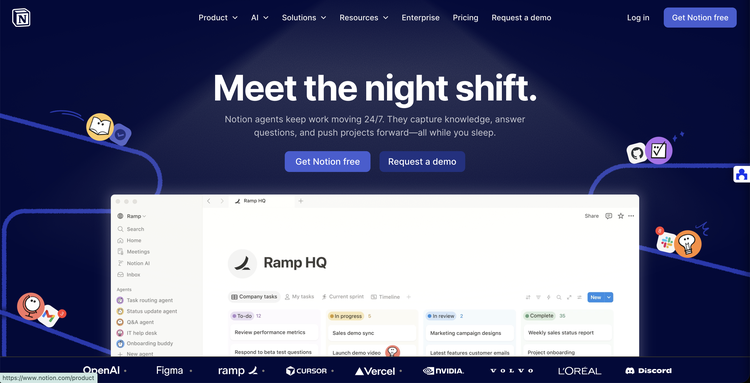
Notion: a Quip alternative for sales enablement, deal rooms, and searchable team knowledge
Deep Dive: Notion has become the default “workspace layer” for many revenue orgs because it can unify enablement content, process docs, competitive intel, and team operating rhythm in one place. Instead of scattering sales collateral across shared drives, chat threads, and half updated wiki pages, teams can build a structured system of pages and databases that stays searchable and consistent.
For sales teams specifically, Notion’s advantage is flexibility. You can create playbook templates for discovery, MEDDICC, mutual action plans, proposal checklists, and onboarding paths, then standardize them across regions without fighting a rigid structure. Directors of Sales can also build lightweight dashboards that tie together pipeline hygiene habits, enablement completion, and weekly business review inputs, even if the underlying data comes from other tools.
Notion also tends to win in adoption when leadership commits to clear information architecture. When the workspace is organized as “the one place to go”, reps stop asking where a doc lives and start using it as part of the workflow. That is the real replacement for Quip’s “living docs” concept, just delivered through a more modern workspace approach.
Key Features:
Best For: Notion is best for Directors of Sales who want one system for enablement content, sales process documentation, and team knowledge that is easy to maintain. It is also a great fit if you want to replace “folders of docs” with structured databases, for example competitive cards, talk tracks, objection handling, and industry proof points. It works well for distributed teams where onboarding consistency is difficult and where tribal knowledge is costing ramp time. Notion is especially effective when you have a revenue operations or enablement owner who can define templates and keep the information architecture clean. It can also work for customer facing deal rooms when you need to share select materials and timelines with buyers. If your team currently uses Quip mainly for account plans and internal playbooks, Notion can cover that and usually improve search and organization. The main success factor is governance: define what goes in Notion, what stays in CRM, and who owns content freshness.
G2Crowd Rating: 4.6 out of 5
Pros and Cons:
Why we picked Notion: Quip is great at “living documents”, but many sales orgs outgrow it when enablement content and team knowledge become the bigger bottleneck. Notion gives you a more scalable structure for knowledge and repeatable processes, which is often what a Director of Sales actually needs to fix. The moment your team asks “where do I find the latest pitch deck, talk track, and proof point”, you need more than a doc editor.
We also like that Notion can become your sales team’s operating system without forcing you to rebuild everything in Salesforce. You can keep CRM as the system of record, while Notion becomes the system of alignment: playbooks, mutual action plan templates, meeting prep, onboarding, and competitive intel that stays current.
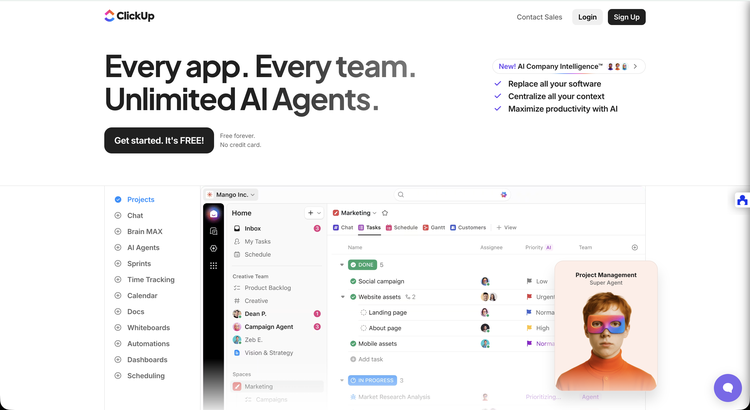
ClickUp: a Quip alternative for sales teams that want docs tightly connected to execution
Deep Dive: ClickUp is best known for work management, but for sales teams it becomes a Quip alternative when you use ClickUp Docs as part of a connected workflow. Instead of writing a deal plan in one place and managing tasks somewhere else, you can tie documents, checklists, owners, and timelines together so the plan becomes actionable.
For Directors of Sales, this matters because sales execution is rarely blocked by writing. It is blocked by handoffs: enablement requests, legal steps, pricing approvals, security reviews, and internal coordination. ClickUp’s strength is giving you a single place to standardize those steps, add visibility, and run repeatable deal motions without living in long email threads.
ClickUp also works well for sales adjacent teams, like solutions engineering, sales ops, and marketing, because they can collaborate on the same artifacts without tool hopping. If Quip felt like “docs plus chat”, ClickUp often feels like “docs plus a real execution engine”, which is a powerful shift for scaling teams.
Key Features:
Best For: ClickUp is best for Directors of Sales who want to operationalize deal work beyond the CRM stage fields. It fits teams that run complex sales motions with many stakeholders, where internal approvals, security steps, and enablement work can slow deals down. It is also strong for sales orgs that need a single execution space across sales, solutions engineering, and revenue operations. ClickUp is a good fit if your team wants standardized templates for deal reviews, mutual action plans, and pricing steps, and you want reporting that shows whether execution is happening on time. It works well when you have a sales ops leader who can define workflows and keep them consistent across the team. It is also a strong choice when you want to reduce “status meetings” by giving stakeholders shared visibility. If your Quip usage is already tied to task execution, ClickUp is often a more natural fit than a pure knowledge base tool.
G2Crowd Rating: 4.7 out of 5
Pros and Cons:
Why we picked ClickUp: Many Directors of Sales use Quip as a “deal plan document” that still requires a separate execution layer. ClickUp closes that gap by turning the plan into tasks, owners, and timelines that leadership can actually inspect and improve. That is often the difference between a good plan and a plan that ships.
We also like ClickUp when cross functional alignment is the true pain. If your biggest friction is internal coordination rather than document editing, ClickUp tends to outperform more document centric Quip alternatives because it is designed for execution and accountability.
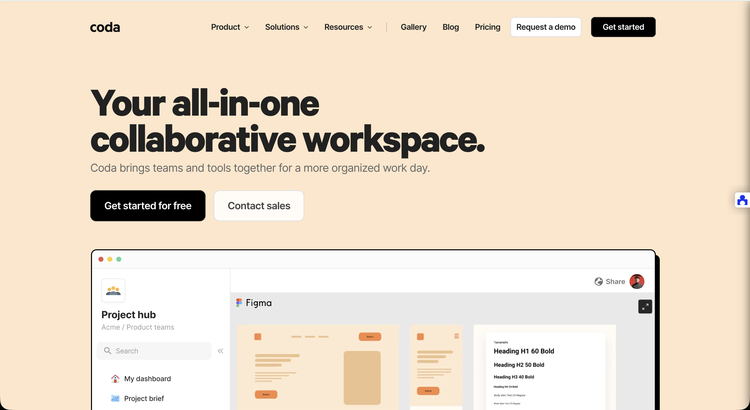
Coda: a Quip alternative for sales playbooks that behave like apps
Deep Dive: Coda sits in the sweet spot between documents and lightweight applications. For sales teams, this is powerful because your “docs” are rarely static: account plans, mutual action plans, and discovery notes often need structured fields, status, owners, and views that a traditional doc cannot handle cleanly.
Coda lets teams build interactive deal workspaces where the document is the interface and the database lives inside it. That means you can create a single deal hub that includes a mutual action plan table, stakeholder map, objections log, next steps, and internal tasks, all connected. For Directors of Sales, it is a strong option when you want standardization without forcing everything into a CRM page layout.
Coda is also helpful when you want to formalize a process that is currently informal. For example, renewal planning, QBR preparation, partner co selling motions, or security review trackers. If Quip feels like a doc that you keep updating, Coda can feel like a system the team runs.
Key Features:
Best For: Coda is best for sales teams that want to standardize core processes in a flexible way that feels lighter than building custom Salesforce objects. It works well when you want one template for a motion, but you also want structured fields and status that are easy to report on. It is strong for deal desks, sales ops, and enablement teams that build internal systems and want adoption from the field. Coda is also a fit for teams running complex buying committees and needing stakeholder maps, decision criteria tracking, and next step governance. It is a strong option for Directors of Sales who like the idea of “deal rooms” and “account hubs” but want those spaces to be structured, not just narrative. If your team struggles with consistency in account plans and follow through, Coda can help you turn best practice into a repeatable system.
G2Crowd Rating: 4.6 out of 5
Pros and Cons:
Why we picked Coda: Quip alternatives often fall into “better docs” or “better wikis.” Coda is different because it lets you build process driven documents that behave like internal apps. For a Director of Sales, that means you can standardize what good looks like in account planning and deal execution, then make it easy for the field to follow.
We also like Coda when sales ops wants leverage. Instead of chasing adoption for five separate tools, you can give the team one structured workspace per account or deal motion, then iterate on the template over time as you learn.
Fathom: a Quip alternative for turning sales calls into summaries, action items, and CRM ready outcomes
Deep Dive: Fathom is not a traditional document workspace, but it replaces one of the most common Quip use cases in sales: capturing meeting notes, decisions, and next steps that keep deals moving. Instead of writing a call summary doc after every discovery or stakeholder meeting, Fathom records, transcribes, and produces structured summaries and action items quickly.
For Directors of Sales, the benefit is simple: less admin, more consistency, and better coaching artifacts. Reps stop losing time rewriting what happened, managers get more reliable visibility into deal reality, and the organization creates a trail of decision context that can be reused for enablement, deal reviews, and onboarding.
Fathom is especially relevant in 2026 because sales leaders are actively trying to reclaim time from non selling work. If your biggest Quip dependency is “we store meeting notes there,” you can often remove that need entirely by capturing the meeting output automatically and pushing the right parts into your CRM or workspace.
Key Features:
Best For: Fathom is best for sales teams that want to reduce rep admin time and improve consistency in follow ups, call notes, and action items. It is a strong fit for teams that do high meeting volume, especially SDR teams and AEs in discovery heavy motions. It is also valuable for Directors of Sales who want better coaching inputs without forcing managers to attend every call. Fathom works well when your team currently copies call notes into Quip, then later tries to translate them into CRM updates and next steps. It also fits organizations that want more reliable handoffs between SDR, AE, and post sales teams because the call outcomes are easier to share. If your enablement team is constantly asking reps for “what customers are saying,” Fathom highlights can also feed messaging and training. The main requirement is defining the workflow: what gets shared, what gets logged, and how you prevent noise from flooding systems.
G2Crowd Rating: 5.0 out of 5
Pros and Cons:
Why we picked Fathom: When sales leaders compare Quip alternatives, they often focus on document features and forget the biggest time sink: meeting documentation. Fathom directly attacks that problem and helps teams reclaim selling time, which is a leadership priority in 2026.
We also like Fathom as a “pairing tool.” Many teams combine a workspace like Notion or ClickUp with Fathom so the workspace holds the living assets and the meeting assistant automatically feeds it with call outcomes. That combination is often stronger than trying to force Quip to be both the document hub and the meeting record system.

Google Workspace: a Quip alternative for fast collaboration on docs and sheets at scale
Deep Dive: Google Workspace is the “default collaboration layer” in many companies, which makes it a practical Quip alternative when simplicity and universal adoption matter more than specialized Salesforce embedded workflows. Docs and Sheets are familiar, fast, and excellent for real time collaboration with stakeholders across departments.
For sales teams, Google Workspace is often the most frictionless way to collaborate with marketing, finance, legal, and leadership because everyone already has access. That matters for pricing approvals, proposal iterations, ROI models, and mutual action plan documents where cross functional editing speed is the priority.
The tradeoff is that Workspace is not opinionated about sales workflows. You will need naming conventions, folder structure, and templates to avoid sprawl. But if your Quip pain is adoption or accessibility, Workspace is hard to beat because the tool is already there and teams know how to use it.
Key Features:
Best For: Google Workspace is best for sales orgs that want the simplest possible Quip alternative with minimal change management. It is ideal when collaboration spans many departments and you need everyone to be able to access and edit documents without learning a new tool. It works well for proposal collaboration, pricing models, mutual action plan docs, and internal planning that lives alongside email and calendar workflows. It is also a strong choice for global teams that need reliable, real time collaboration with minimal friction. Workspace is especially useful when your biggest bottleneck is “getting inputs” rather than building a formal knowledge base. If you choose Workspace as a Quip alternative, the biggest success lever is governance: standard folder structure, templates, and naming conventions so sales assets do not become impossible to find.
G2Crowd Rating: 4.6 out of 5
Pros and Cons:
Why we picked Google Workspace: It is the most practical choice when you want broad adoption and minimal friction. Many Quip replacement projects fail not because the tool is weak, but because the field refuses to switch. Workspace often wins because the switch is small and the collaboration is immediate.
We also included it because sales orgs rarely operate alone. If cross functional stakeholders are constantly part of deal execution, you need a collaboration layer that works for everyone, not just the sales team.

Confluence: a Quip alternative for scalable sales knowledge bases and internal documentation
Deep Dive: Confluence is a classic choice for internal documentation, and it becomes a Quip alternative when your core need is a scalable knowledge base rather than living Salesforce embedded documents. For sales orgs, this typically shows up as enablement content, process documentation, internal policy, and technical knowledge that needs to stay current and searchable.
Confluence also performs well when your organization already runs on Atlassian, especially Jira. That makes it easier to connect sales enablement work with product, engineering, or implementation resources, which can matter a lot in complex sales environments where technical alignment can make or break a deal.
For Directors of Sales, Confluence is often the “grown up wiki” option: structured spaces, permissions, and a mature ecosystem. It can feel heavier than Notion, but it can be easier to govern at enterprise scale and across multiple departments.
Key Features:
Best For: Confluence is best for Directors of Sales who want a governed, enterprise ready knowledge base for enablement content and internal documentation. It is a strong fit if your company already uses Jira or other Atlassian tools and you want alignment between sales, product, and delivery. It is also useful when compliance and permissions matter, for example in regulated industries where content needs to be controlled and auditable. Confluence works well for formal playbooks, onboarding documentation, and product knowledge repositories that support discovery and positioning. It can also be a good choice when your organization wants a single wiki standard across multiple functions, not just sales. The main caution is adoption: you will need clear standards and a content owner to keep things current and easy to navigate.
G2Crowd Rating: 4.1 out of 5
Pros and Cons:
Why we picked Confluence: Some sales teams do not need a new “workspace.” They need a real knowledge base that can be governed, scaled, and trusted. Confluence is one of the strongest Quip alternatives when your priority is long term enablement documentation and cross functional knowledge, especially in enterprise settings.
We also picked it because sales effectiveness is deeply tied to internal knowledge access. If sellers lose time hunting for the right content, you are paying an invisible tax on productivity. A disciplined Confluence setup can reduce that tax substantially.
Microsoft Loop: a Quip alternative for Microsoft 365 teams that want lightweight co creation
Deep Dive: Microsoft Loop is positioned as a modern co creation canvas that works across Microsoft 365. For sales teams already standardized on Microsoft, Loop can be a Quip alternative because it supports collaborative content, tasks, and components that travel across apps.
For Directors of Sales, Loop is especially interesting when your team lives in Teams and the broader Microsoft ecosystem. The goal is to reduce friction: keep planning, notes, and components closer to where conversation and execution happen, rather than forcing everyone into a separate document tool.
Loop is still earlier in maturity compared to long established suites, but it can be a smart choice if your organization wants a modern alternative without stepping outside Microsoft’s governance, identity, and security layers.
Key Features:
Best For: Microsoft Loop is best for sales organizations that are fully committed to Microsoft 365 and want a modern collaboration layer without introducing a new vendor. It works well for internal planning, weekly business review artifacts, rep to manager alignment, and lightweight deal collaboration where Teams is already the center of gravity. It is also useful when you want content components to be reused across contexts, for example meeting notes that turn into shared action items. Loop can be a strong choice if your Quip usage is primarily internal and you want something that feels more native to Microsoft than a separate workspace tool. It is less ideal if you need a mature knowledge base or highly structured sales enablement system. In those cases, you may pair Loop with a knowledge repository strategy for long lived content.
G2Crowd Rating: 4.3 out of 5
Pros and Cons:
Why we picked Microsoft Loop: A lot of Quip replacement decisions are really “ecosystem decisions.” If your company runs Microsoft end to end, Loop is a credible Quip alternative because it keeps collaboration inside the same identity, governance, and day to day tools your reps already use.
We also like it as a lightweight option when you do not want a massive workspace migration. Some teams only need a modern co creation layer for internal collaboration, and Loop can deliver that with less disruption.
Evernote: a Quip alternative for personal productivity and lightweight knowledge capture
Deep Dive: Evernote is not a classic Quip style team workspace, but it remains relevant as a Quip alternative when the real need is individual capture, personal organization, and fast retrieval of notes and documents. In many sales teams, a meaningful portion of “Quip usage” is really just note taking and information capture, especially for reps who prefer a personal system.
Evernote’s core value is simple: quickly capture ideas, meeting notes, and reference material, then find it later. For Directors of Sales, Evernote becomes useful when you want reps to stop losing customer context across notebooks, sticky notes, and disconnected files. It can also support managers who want a consistent personal system for coaching notes and 1:1 records.
That said, Evernote is not the best choice if you need structured enablement content or deal rooms for team collaboration. Instead, it fits as a complementary tool or as a lightweight alternative for teams that do not actually need a full Quip style collaboration platform.
Key Features:
Best For: Evernote is best for sales leaders and reps who want a reliable personal system for capturing and retrieving customer context. It fits teams where the biggest problem is not collaboration, but information loss: meeting notes scattered across apps, competitive insights never saved, and follow up details disappearing after busy weeks. It can be useful for managers who want consistent coaching notes and performance observations organized over time. Evernote also works for reps who travel or work across devices and need continuity without learning a complex workspace tool. It is less ideal as a primary Quip replacement for sales enablement or standardized deal execution, because it is not designed to be a team wide, governed knowledge base. If you include Evernote in your Quip alternative stack, it is usually best as an individual productivity layer paired with a team workspace for shared assets.
G2Crowd Rating: 4.4 out of 5
Pros and Cons:
Why we picked Evernote: Some “Quip alternative” searches are really a signal that reps want a better note taking and retrieval system, not necessarily a new team workspace. Evernote remains a recognized option for personal knowledge capture and can reduce information loss that hurts follow through and customer context.
We also included it because many sales orgs succeed with a two layer approach: a team workspace for shared enablement plus a personal system for rep level capture. If your reps resist big workspace migrations, improving personal capture can still deliver meaningful productivity gains.
Comparison table of the best Quip alternatives
| Tool | Main use case | Best for | Noteworthy |
|---|---|---|---|
| Notion | Workspace for knowledge, playbooks, and structured content | Enablement hubs, onboarding, scalable team knowledge | Highly flexible templates and databases |
| ClickUp | Docs connected to tasks and execution workflows | Complex deal motions, approvals, cross functional execution | Turns deal plans into accountable delivery |
| Coda | Interactive docs that behave like apps | Mutual action plans, deal hubs, structured sales processes | Docs plus embedded databases and automation |
| Fathom | AI meeting recording, transcription, and summaries | Reducing admin, improving follow up and coaching | Replaces manual meeting note docs |
| Google Workspace | Universal doc and sheet collaboration | Low friction cross functional editing and sharing | Fast adoption, minimal training |
| Confluence | Governed internal wiki and documentation | Enterprise knowledge bases and enablement documentation | Strong governance, great in Atlassian ecosystems |
| Microsoft Loop | Microsoft native co creation canvases | Microsoft 365 teams, lightweight collaboration | Components across Microsoft apps |
| Evernote | Personal note taking and knowledge capture | Rep and manager personal systems, research capture | Strong personal search and organization |
Buyer’s guide
Practical tips to choose the right Quip alternative
Common pitfalls when selecting Quip alternatives
Conclusion and next steps
Quip alternatives are not just document tools in 2026, they are sales execution infrastructure. The right choice depends on whether you need scalable knowledge, tighter workflows, or less meeting admin. Most Directors of Sales will get the best results by combining a workspace for enablement and deal assets with a meeting capture tool that enforces follow through. If you standardize templates and assign ownership, adoption becomes much easier and the value compounds. Pick the option that reduces friction in your real workflow, then pilot fast and expand deliberately.

Further reading
FAQs
What is the best Quip alternative for sales enablement content?
Notion is often the best Quip alternative for sales enablement when you want a structured, searchable hub for playbooks and assets. It combines flexible pages with databases that can keep enablement organized. Source
What is the best Quip alternative for deal execution and internal approvals?
ClickUp is a strong option when deal work needs to turn into tasks, owners, and timelines. It helps Directors of Sales enforce follow through and reduce cross functional bottlenecks. Source
What is the best Quip alternative for capturing meeting notes automatically?
Fathom is a leading option if the goal is to eliminate manual note taking and accelerate follow up. It records, transcribes, and summarizes meetings so reps can focus on selling. Source
Is Google Workspace a true Quip replacement?
Google Workspace can replace Quip for many teams if the main need is fast collaboration on documents and spreadsheets. It is less suited for structured knowledge and workflow unless you add governance and templates. Source
When should a sales org choose Confluence over Notion?
Confluence is often the better fit when you need enterprise governance, structured spaces, and a formal wiki standard across departments. Notion usually wins when you want faster iteration and a more flexible workspace feel. Source
Is Microsoft Loop ready to replace Quip in 2026?
Microsoft Loop can be a good Quip alternative for Microsoft 365 organizations that want lightweight co creation inside the Microsoft ecosystem. If you need a mature knowledge base or deep workflows, you may still pair it with other tools. Source
Should sales teams still use a note taking tool like Evernote?
Evernote can be useful when the real need is personal capture and retrieval, especially for managers and reps who want a consistent personal system. It should not be the primary team enablement hub for most scaling sales orgs. Source
How do I migrate away from Quip without breaking adoption?
The safest approach is to migrate only what is current and actively used, then launch a template driven workspace for the top sales motions. Pilot with one team for two weeks, refine structure and governance, then scale.
