

This article was updated on March 10, 2026 with an up-to-date FAQ section.
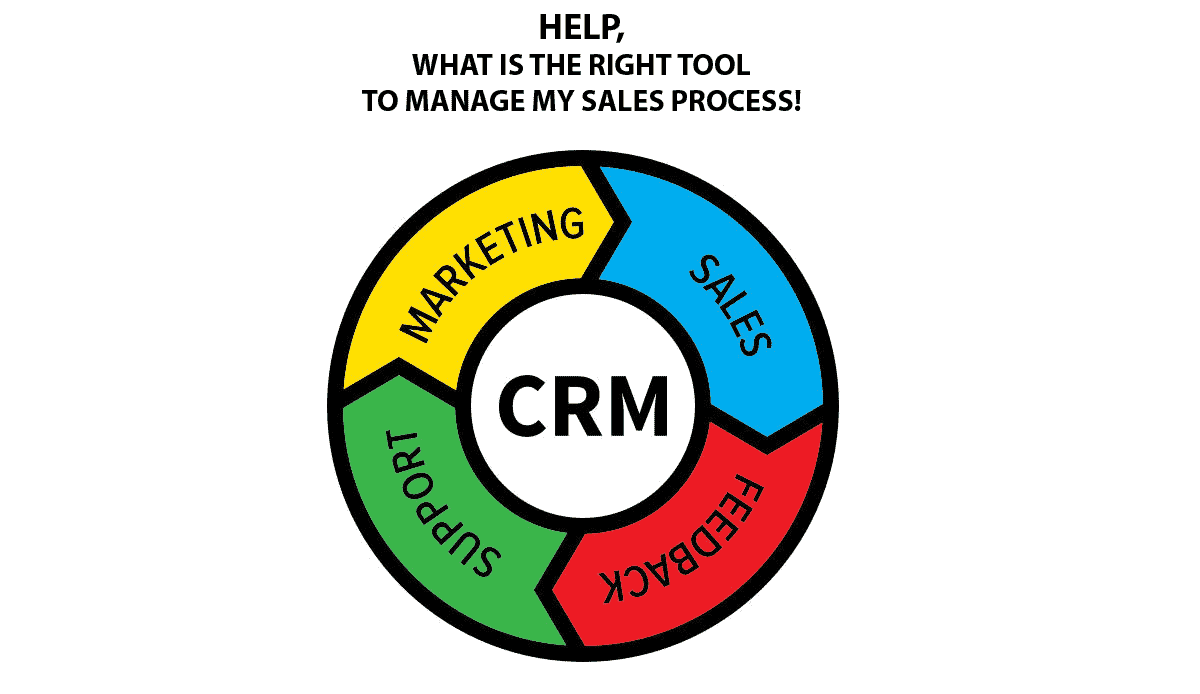
When it comes to managing your team’s sales process, a CRM (Customer Relationship Management) software system is essential as soon as you need to share information within the team. An Excel may be great to start, but you’ll soon see limits when it comes to gaining a control over the process, or reporting up.
A great CRM tracks and manages customer communication, facilitates your sales workflow processes, and gives your teams the tools to stay focused on the top leads, organized and in control.
For many sales reps, keeping a CRM up to date is not their favorite task. It’s administration. Thus modern CRM’s should focus on the essentials The following CRMs are all designed to provide unique solutions for small businesses and teams and some of them are designed to scale from the smallest of teams to full-scale enterprise suites.
pipedrive
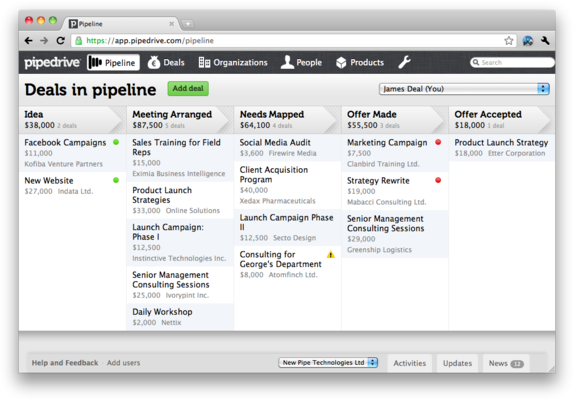
Pipedrive is one of our favorites, and has been growing to a large extent thanks to word-of-mouth of happy sales people using it. It’s a CRM andpipeline management tool which focuses on key features for sales and a visible pipeline view (Hence the name). One of its specialities is that it’s available in many different languages too. PipeDrive has integrations with different software systems and provides full integration with the Google Apps suite, making sure your team never needs to enter a contact twice. Full customization options and good reporting make it an alternative to a more complex CRM like Salesforce. With one main price listed ($12 per user per month) and a premium version for full Gmail sync, Pipedrive is one of the simpler priced software systems for sales teams. Have no time to evaluate more than 2 different tools? Pipedrive should be shortlisted. (Pipedrive)

Salesforce and SalesforceIQ
Salesforce needs to be mentioned here as is the world’s most used CRM platform for teams. Having said that, it works for teams who have a very structured sales process that you want to define for your team. One of their strong points are definitely their huge eco-system of partner apps for any possible aspects like contact “hygiene” (check Ringlead), email marketing (try Mailchimp) or even Gamification. Our application SalesWings offers a handy lead scoring add-on for Salesforce. Lastly, their reporting capabilities are unrivalled. They do charge accordingly, and offering all imaginable features gives it a bit of a “heavy” touch-and-feel. Their innovation team has recently come out with SalesforceIQ that takes an approach focused on sales automation and relationship intelligence. (Salesforce and SalesforceIQ)



SalesWings
SalesWings is not a CRM, but stands here representative for the fact that many CRM today can be complemented with external apps providing you with features on your wish-list, that are not offered by the core product. Therefore, many CRM like pipedrive or Salesforce offer “app markets”, complementing their offer. Zapier, by the way, needs to be mentioned here too, as it is a tool allowing you to build your own integrations without technical skills.
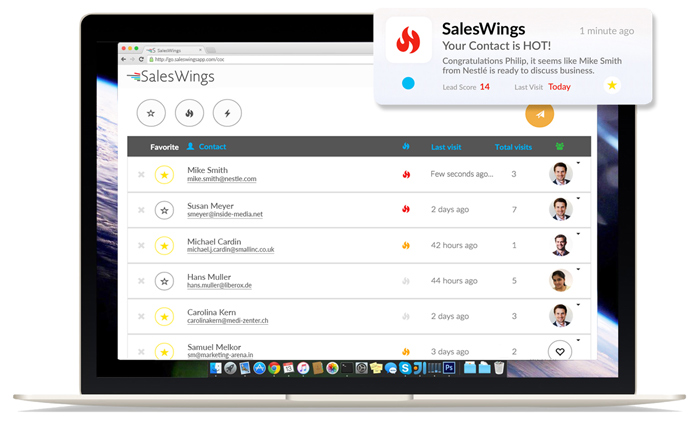
SalesWings (that’s our tool) is a great and quickly deployed lead scoring add-on for CRM, offering a smart prioritisation of your leads based on their website activity. Its predictive lead scoring algorithm compares website visits of your leads and puts the most interested leads at the top of a list. Tracking happens through integrations with mailing tools, your web forms, or Gmail and Outlook. SalesWings integrates with Salesforce and (soon) Pipedrive, but runs just fine stand-alone next to any CRM. Lead scoring has been typically reserved to larger companies who can afford an expensive marketing automation solution. SalesWings is a great alternative for the rest of us. (Here’s more info about the lead qualification solution, and we also provide a free trial here.)
NetHunt
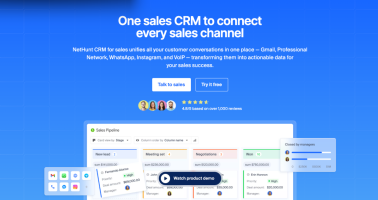
NetHunt CRM system for small teams is built around a simple but powerful idea: your CRM should live where your communication already happens — inside Gmail. Instead of forcing teams to switch between tools, NetHunt turns your inbox into a fully structured sales workspace, where emails become contacts, companies, and deals automatically.
What makes NetHunt particularly relevant for small teams is its balance between simplicity and flexibility. You can start with basic pipeline tracking and email organization, but quickly expand into automation, lead capture from forms and messengers, and even email campaigns — all without adding extra tools. It integrates deeply with Google Workspace and offers customizable pipelines, workflows, and reporting, making it a strong fit for growing teams that need more than a lightweight CRM but still want to keep things easy to use. Pricing starts at around $24 per user per month with a free trial available, so it’s accessible without the complexity of enterprise systems. It’s definitely worth exploring if your team lives in Gmail and wants to scale its sales process without changing their workflow.

OnePageCRM
OnePage CRM is designed to simplify the CRM process, by providing you with – as the name says – an overview on a single page. It’s credo is “there is always a next action”, and that’s a unique approach that made it popular. OnePageCRM gives users a 21 day free trial and then costs $11 per user per month. OnePage includes key integrations such as an automatic Mailchimp synchronization and a handy on-page contact capturing for Chrome. This is a great CRM for sales teams who like to keep the organization simple and focused. Do check it out! (OnePage CRM)


Nimble
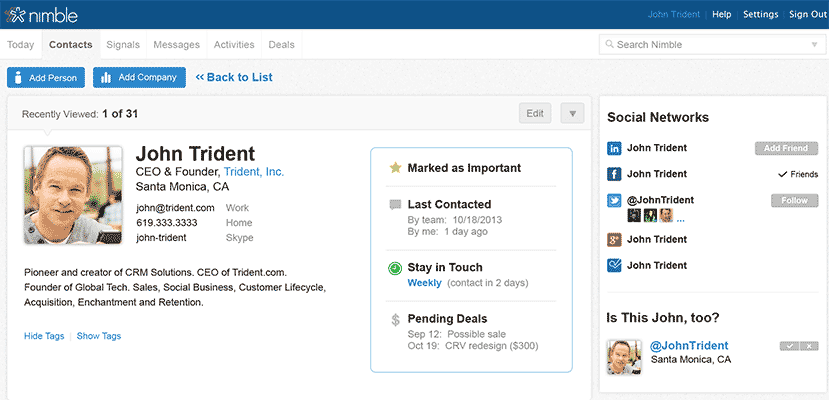
Nimble is the “baby” of Jon Ferrara, a leading figure in the IT industry who has been shaping the CRM landscape for almost 20 years. Nimble is different, as it clearly focuses on “social”. Many sales managers love it, as it completes and updates your entire contact database thanks to great integrations with all social channels. “No data entry” is what they claim to offer, and they are getting close to it. We also like their mobile app which offers great usability and it provides “social insights” for each contact that you’re going to meet. (Nimble)

Insightly
Insightly is designed to cover CRM and project management, and it’s key differentiator is that it has been built for Google Apps users, integrating perfectly with it. With email campaign management, handy alerts, and social media management, Insightly has many options. A free version is available, with the cheapest full version costing $15 per user per month (Annual discounts available). (Insightly)

Hubspot
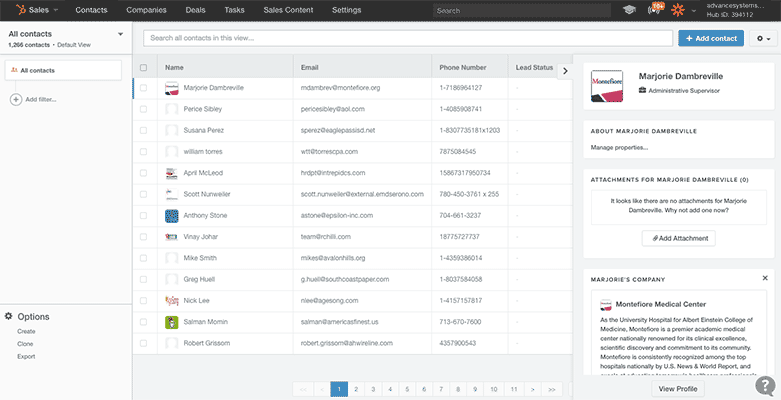
Hubspot is world wide the most inbound marketing automation platform, and offers a free CRM option since a few years too. An interesting aspect is that when you start entering a contact, Hubspot will automatically add key business information. We recommend Hubspot CRM in case you’re aiming to grow your software stack with the Hubspot Inbound Marketing tool later on, which then will be priced at 200 US$+ per month. (Hubspot)

17 Hats
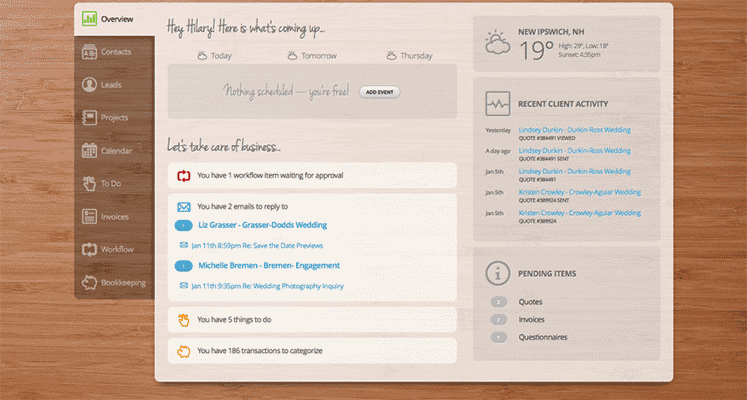
17 Hats is at the hard a full small business management app with CRM capabilities. With 17 Hats we do not only want to introduce another CRM, but making you aware of the fact that there are tools that integrate other aspects like invoicing into their tools. Often these are for very small companies and work freelance type businesses with rather simple sales processes. (to our buddy Swiss readers, do have a look at the bexio small business management suite that we like particularly). (17 Hats)
These CRM tools for small companies represent as well different philosophies when it comes to handling your sales process. We do recommend that you make a short list of 3 CRM tools based on your research, and then follow a personal demo of each. Personally we prefer systems who keep it simple – your sales team will thank you for it.
Let us know if you find the article interesting. Do not hesitate to give us a feedback on other CRM for small business.
Frequently Asked Questions
- Which CRM works best for a lean RevOps team in a small business?
- Which CRMs reduce admin for reps?
- How should my CRM handle sales pipeline management?
- Does my CRM need a lead scoring add-on?
- When should a small team choose Salesforce over simpler CRMs?
- Can CRMs scale without rebuilding processes?
- How do you shortlist the best CRM tools quickly?
Which CRM works best for a lean RevOps team in a small business?
The right CRM for small business is usually the one your reps will actually use every day without extra process overhead.
For a RevOps manager, that usually means clear pipeline visibility, simple reporting, fast onboarding, and enough customization to match your current funnel without forcing an enterprise-level rollout. Pipedrive and OnePageCRM suit teams that want straightforward execution, while HubSpot and Insightly make more sense if you expect broader automation or cross-functional workflows later. The best choice is less about feature count and more about adoption, data quality, and whether the system supports your next 12 to 24 months of growth.
Tip: As a practical rule, prioritize usability first and extensibility second.
Which CRMs reduce admin for reps?
The best CRM tools reduce admin by making updates feel like part of selling, not a separate reporting job.
For a closely related angle, see our guide to The top 8 Salesforce Quip alternatives.
For small teams, that usually means a visible pipeline, easy contact capture, fast note entry, and useful integrations with email and calendars. Pipedrive leans into visual deal management, OnePageCRM emphasizes the next action, and Nimble stands out when contact enrichment and relationship context matter. RevOps should also look at how much manual cleanup a tool creates after implementation, because low-friction data entry often matters more than advanced features that sellers ignore.
Tip: A strong evaluation tip is to test how many clicks it takes to update a deal, log activity, and move an opportunity forward.
How should my CRM handle sales pipeline management?
A CRM for small business should make pipeline stages, ownership, deal movement, and next steps obvious at a glance.
RevOps managers usually get the most value from stage definitions that are simple enough for reps to follow but structured enough for reporting and forecasting. The moment a pipeline becomes too flexible, dashboards lose meaning; the moment it becomes too rigid, adoption drops. That’s why many small teams prefer tools built around visual pipeline management before they add heavier workflow logic.
Tip: A useful operating tip is to standardize exit criteria for each stage early, then add automation only after the team consistently follows the process.
Do my CRM need a lead scoring add-on?
The best CRM tools do not always need built-in scoring, but growing teams often benefit from a lead scoring add-on.
For the practical implementation, see Salesforce Lead Scoring.
That’s especially true when inbound volume rises faster than rep capacity, because prioritization becomes a workflow problem before it becomes a reporting problem. If your CRM is strong at pipeline management but weak at ranking intent, an add-on can help sales focus on the accounts most likely to convert instead of working every lead equally. For small teams, the win is usually speed and consistency rather than complexity.
Tip: As a next step, align your scoring logic to response SLAs and use a simple prioritization framework like the one in this 2026 high-volume B2B lead prioritization playbook.
When should a small team choose Salesforce over simpler CRMs?
A small team should choose Salesforce when process control, reporting depth, and ecosystem flexibility matter more than initial simplicity.
For RevOps, Salesforce becomes more attractive when you need formal handoffs, territory logic, complex permissions, or a broader app ecosystem around the CRM. The tradeoff is that you usually take on more setup, governance, and change management than you would with a lighter system such as Pipedrive or OnePageCRM. In other words, Salesforce is often the right answer when your operating model is becoming more structured, not just because it has more features.
Tip: A practical tip is to map the processes you need now versus six months from now before you commit to a heavier platform.
Can CRMs scale without rebuilding processes?
A CRM for small business can scale well when the core data model and integrations stay clean as the team grows.
The biggest risk isn’t outgrowing the software overnight; it’s adding custom fields, workarounds, and disconnected tools that make reporting unreliable later. RevOps should look for a CRM that supports clean stage design, consistent account and contact ownership, and easy integration with enrichment, lead routing, and marketing tools. That’s also where add-ons can extend a simpler CRM without forcing a full migration too early.
Tip: If your team operates in a more specialized or regulated environment, this sales intelligence example for financial services workflows is a useful model for thinking about extensions around the CRM core.
How do you shortlist the best CRM tools quickly?
The fastest way to shortlist best CRM tools is to compare them against one real sales process, not a generic feature checklist.
For a RevOps manager, that means using the same sample pipeline, reporting requirements, user roles, and integration needs in every demo. Ask each vendor to show contact creation, deal progression, activity logging, forecasting, and any lead prioritization workflow your team actually needs. This makes differences in usability and operational fit visible much faster than broad product tours do. In most small-team evaluations, two or three live demos are enough to separate tools that feel intuitive from tools that will create admin drag.
Tip: A smart final step is to score each option on adoption risk, reporting quality, and time to value.

Thank you for the inclusion of OnePageCRM.com on the list guys :)
Hey Alan – you bet, you guys have a great tool that definitely fits a niche.
Philip, solid quick breakdown.
I think the skill set of the team is extremely important to making this decision and the measurement/monitoring bandwidth/tendencies of the sales managers/executives. If the sales leadership isn’t extremely skilled at managing a CRM system, you may need dedicated humans/hours of management cost attached to the management of PD and/or SalesForce.
For us, as a Customer Success-focused org who doesn’t want to spend for a customer success-specific SaaS solution, Pipedrive is flexible enough to allow our CS leadership to build in CS workflows, activities, customer health assessments, and milestones.
Nimble is one that is on our radar and I’ve heard great things, but have not eval’ed.
Awesome list. As for an alternative for Hubspot, GetResponse offers also marketing automation. It seems to be really great with small and medium sized businesses.
Hey. Thanks for the tips.
I use SendPulse marketing automation platform. It’s not actually a CRM but a potentially good substitute for SMB’s and startups. It’s very affordable and quite capable. Check it out!